Binnash product
AirTerm · Remote terminal
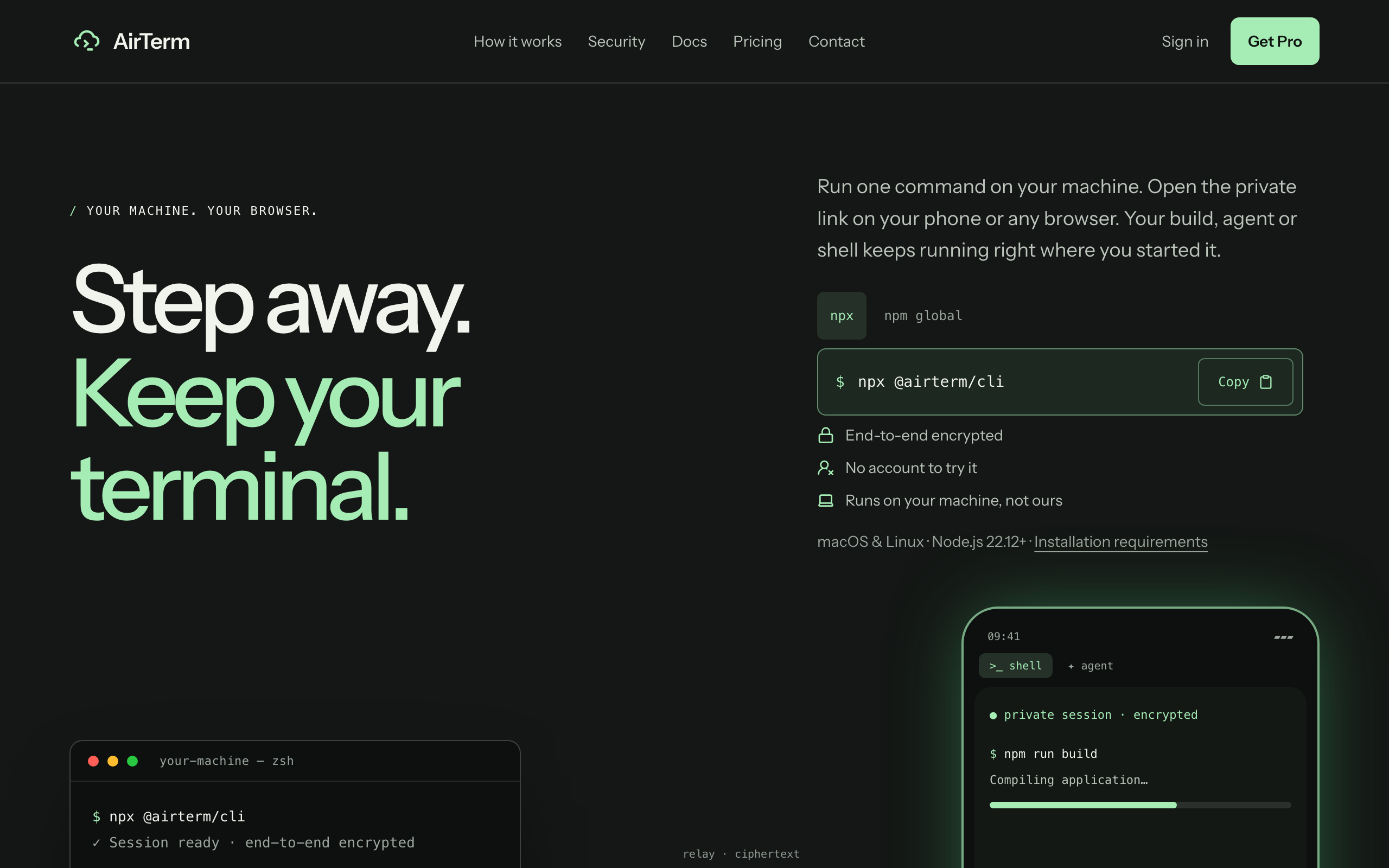
Leave your desk. Keep your terminal.
Run one command on your machine, then keep using your terminal from your phone or any browser.
AirTerm connects your browser to your own machine over an end-to-end encrypted session. Your build, coding agent, or shell keeps running where you started it, and you can check on it from anywhere.
npx @airterm/cli
01 / Use it when
Use AirTerm when…
-
01
Check on the long one
A build, a migration, a job that is taking its time. See its progress without going back to your desk.
-
02
Let your coding agent cook
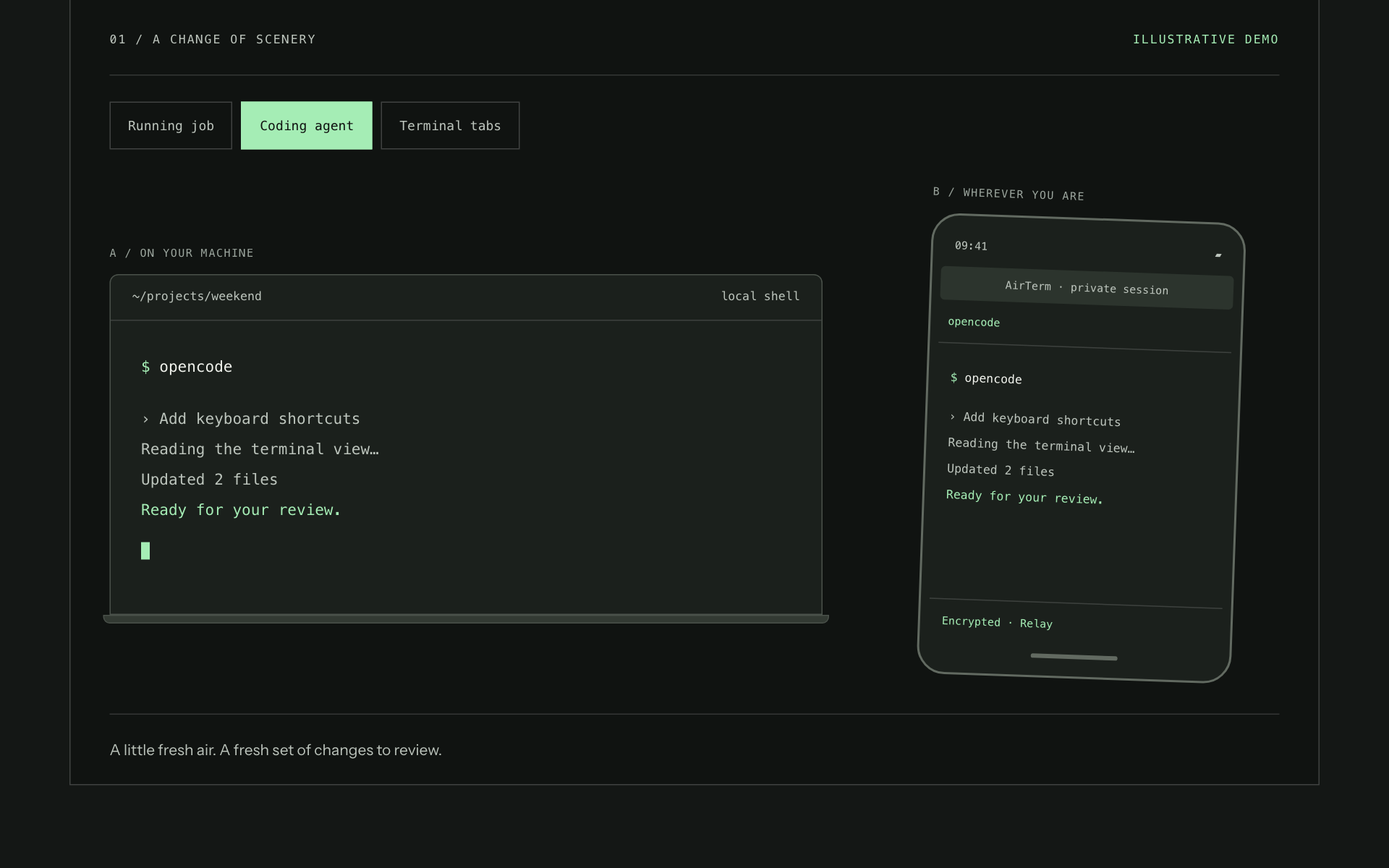
Open a coding-agent session in your browser, review what it has done, and give it the next instruction.
-
03
Make a little more space
Open several terminal tabs in shell mode and keep one command running while you explore another shell.
02 / How it works
Three steps, then you’re in.
No sign-up. Your shell stays on the machine you already know.
-
01
Run
Start AirTerm on your machine with one command. Your shell stays where it is.
-
02
Open
Take the private link to your phone or any browser, or scan the QR code.
-
03
Continue
Use your terminal from the browser. Keep your computer awake and AirTerm running.
03 / In use
AirTerm up close.
04 / Included
What’s included.
- End-to-end encrypted sessions
- No account needed to try it
- Commands run on your machine, not ours
- Works with Claude Code, Codex, OpenCode, and Pi
- Multiple terminal tabs in shell mode
05 / Pricing
What it costs.
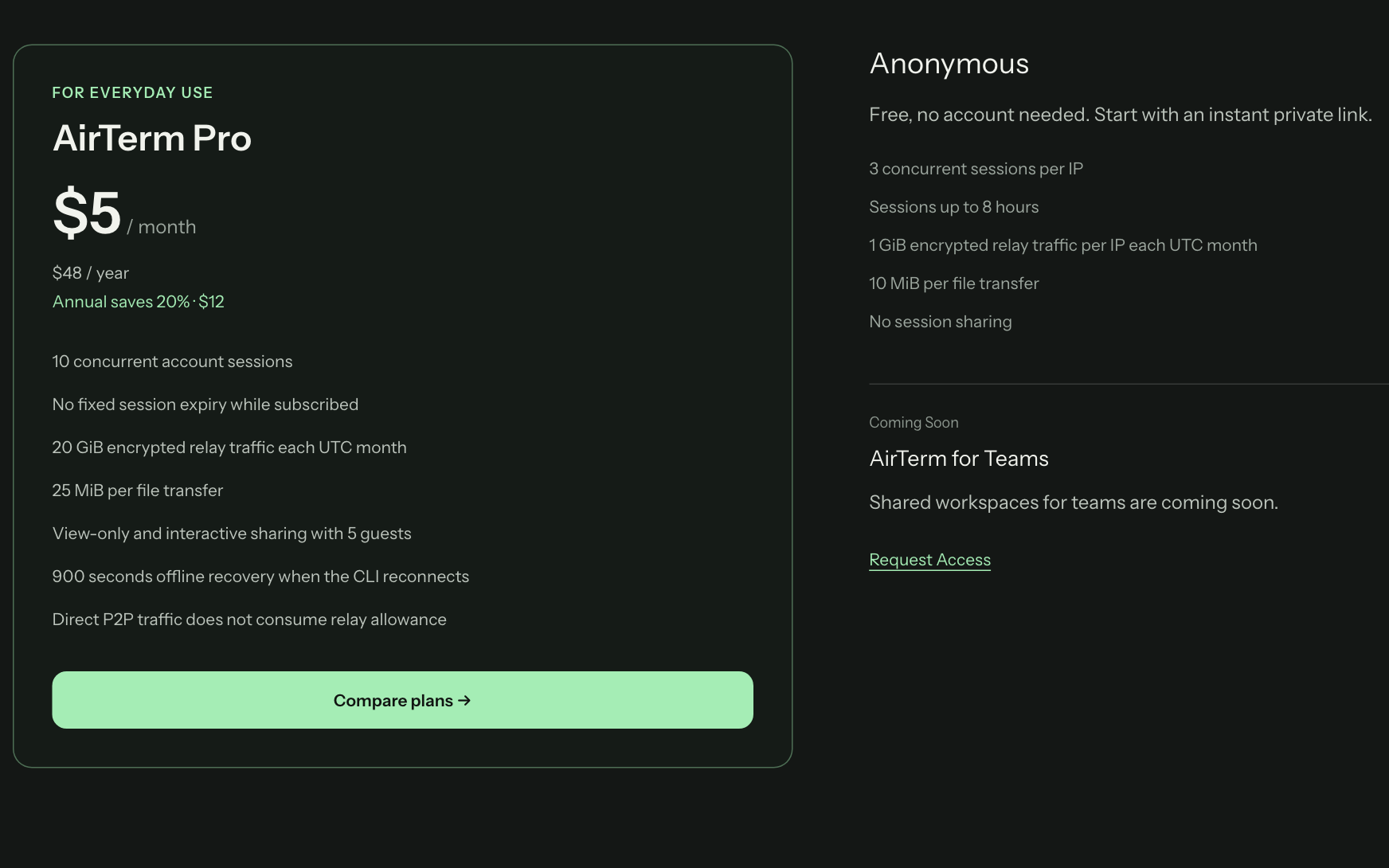
Free without an account, with up to three sessions per IP and sessions up to eight hours. Pro is $5 a month or $48 a year, with more sessions, no fixed session expiry and sharing with guests.
Compare plans06 / Why we built it
Your agents keep running. You keep the controls.
Coding agents are most useful when they get to keep working: through a long refactor, a migration, a build that takes the afternoon. But an agent lives in a terminal, and a terminal ties you to the machine it runs on.
AirTerm removes that tie. Your agents keep running, on your own machine or on a server, and you reach them from your phone or any browser. The orchestrator sits in your pocket: you can check in, review what an agent has done, and give it the next instruction from wherever you are.
Nothing runs on our side. Commands execute on your machine, and the relay only forwards encrypted terminal traffic.
07 / Questions
Useful details, upfront.
Do I need an account?
No. You can start free without one. Pro adds an account for more concurrent sessions and no fixed session expiry.
What do I need to run it?
macOS or Linux and Node.js 22.12 or newer. You run one command, npx @airterm/cli.
Is it safe to share the link?
Treat the private link like a key: interactive control acts with your user’s permissions. View-only shared links show the session without granting control.
Start a project
Need something like AirTerm?
We build products like this for clients, from the first release to production. Tell us what you need.